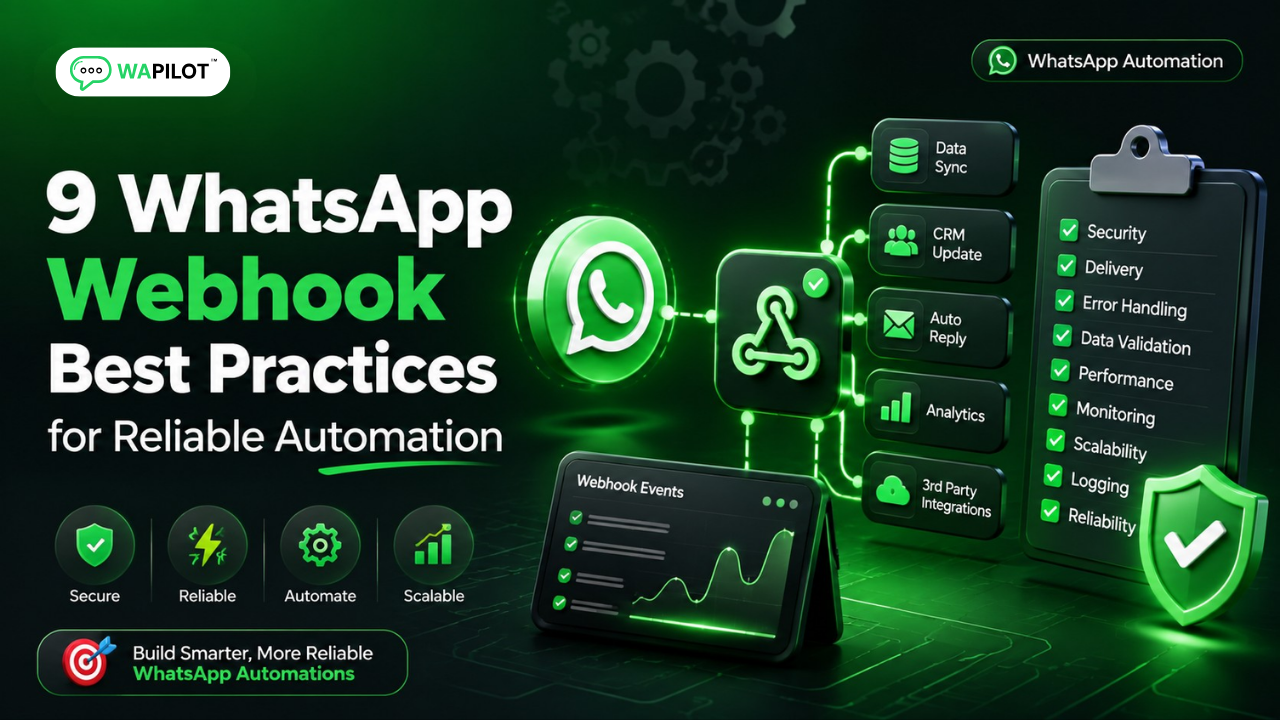
Reliable WhatsApp automation starts with reliable webhook handling. A webhook must receive events, validate requests, process updates safely, and keep your application responsive. When webhook handling is fragile, businesses can miss inbound messages, duplicate events, or delay customer replies.
In this guide, you’ll learn nine practical WhatsApp webhook best practices, how WhatsApp Cloud API webhooks work, and how to connect events to WhatsApp webhook automation without unnecessary complexity. These recommendations are useful for teams building customer support, CRM, chatbot, and campaign workflows.
We’ll also cover common WhatsApp webhook errors, retry handling, idempotency, security, event logging, and testing. WAPilot’s approach to WhatsApp automation focuses on making every event traceable, repeatable, and safe to process, so reliable webhook infrastructure becomes a foundation for scalable customer communication.
What Is a WhatsApp Webhook?
A WhatsApp webhook is an HTTPS endpoint that receives event notifications from Meta when activity occurs on a WhatsApp Business account. Instead of repeatedly polling an API, your application receives events such as incoming messages and delivery or read status changes, then uses those events to trigger business logic.
WhatsApp webhooks deliver event notifications from Meta to your HTTPS endpoint. Your application verifies the request, parses the event, stores or processes it, and can trigger actions such as chatbot replies, CRM updates, routing, or analytics.
9 WhatsApp Webhook Best Practices
1. Use a Dedicated HTTPS Webhook Endpoint
Give your webhook a clear responsibility: receive WhatsApp events and hand them to your processing layer. Use HTTPS, keep the endpoint reachable, and avoid mixing webhook logic with unrelated application routes. A dedicated endpoint also makes troubleshooting easier because your team can inspect webhook failures separately from other application traffic.
2. Verify Webhook Requests Before Processing
Request verification helps ensure your application accepts events through the expected integration path. Follow Meta’s current webhook verification and security requirements instead of relying on an informal secret in application logic. Review Meta’s Webhooks documentation and the WhatsApp Cloud API webhook documentation for current implementation details.
3. Return a Fast Response and Process Asynchronously
A webhook endpoint should acknowledge a valid event quickly. Heavy work such as CRM synchronization, AI processing, analytics, or downstream API calls is better handled by a queue or background worker.
Fast webhook acknowledgement reduces timeout and retry problems. Receive and validate the event, persist the payload or job reference, return the required response, and perform slower business operations asynchronously.
4. Make Event Processing Idempotent
Webhook systems can encounter retries or repeated delivery attempts. Your processing layer should recognize an event that has already been handled and avoid creating duplicate contacts, tickets, orders, or messages. Store a unique event identifier or carefully designed event fingerprint before executing an irreversible action.
5. Separate Inbound Messages From Status Events
Not every WhatsApp webhook event represents a customer message. Delivery and read updates can require different business logic. Route event types into separate handlers so chatbot logic stays focused on conversations while status processing updates reporting and message state.
6. Log the Complete Event Lifecycle
Good logs should answer when an event arrived, what type it was, whether validation passed, and what action your system took. Include correlation identifiers where possible while protecting customer data, access tokens, and other credentials.
7. Design Retries With Care
Transient failures happen. A queue-based architecture can retry temporary database or downstream service failures without asking the webhook endpoint to perform the entire workflow again. Use bounded retries and dead-letter handling for events that repeatedly fail.
8. Connect Webhook Events to Automation Rules
Once events are reliable, they become useful triggers for business workflows. An inbound customer message can route to an agent, start a chatbot flow, update a CRM record, or trigger an appropriate response. For teams evaluating a broader WhatsApp API integration, reliable event processing should be designed before adding complex automation.
For broader workflow planning, see our WhatsApp Flow Builder guide and our WhatsApp auto-replies guide.
9. Test Webhook Failures, Not Only Successful Events
A production-ready integration should test invalid signatures, malformed payloads, duplicate events, unavailable databases, slow downstream APIs, and retry behavior. Testing only the happy path hides failures that cause the most operational damage.
How Should a WhatsApp Webhook Architecture Work?
A reliable architecture separates event reception from business processing. The webhook receives and validates the request, stores or queues the event, acknowledges it quickly, and passes it to dedicated handlers for messaging, CRM, analytics, or automation.
A robust WhatsApp webhook architecture has four layers: secure reception, event persistence, asynchronous processing, and business actions. This separation improves reliability because slow CRM, AI, or messaging operations do not block webhook acknowledgement.
Common WhatsApp Webhook Mistakes to Avoid
- Putting long-running business logic directly inside the webhook request.
- Processing duplicate events as new customer actions.
- Ignoring delivery and read status events.
- Logging sensitive credentials or unnecessary personal data.
- Having no retry or dead-letter strategy.
- Testing only successful webhook requests.
FAQs About WhatsApp Webhooks
Can WhatsApp webhooks trigger automation?
Yes. Webhook events can trigger application logic and automation workflows. Depending on the event, a system can update customer records, route conversations, start a workflow, or initiate an appropriate response.
Do WhatsApp webhooks need HTTPS?
Yes. A production webhook endpoint should use HTTPS and follow Meta’s current webhook verification and security requirements.
Why are duplicate webhook events a problem?
Duplicate events can create repeated CRM updates, duplicate workflow actions, or duplicate messages. Idempotent processing prevents the same event from causing the same business action multiple times.
Conclusion
Reliable WhatsApp automation starts with reliable event handling. Use a secure endpoint, acknowledge events quickly, process asynchronously, design for retries, make handlers idempotent, and test failure scenarios.
When webhook infrastructure is dependable, WhatsApp Cloud API events can become a strong foundation for chatbots, inbox workflows, CRM synchronization, and customer automation. Explore WAPilot to build WhatsApp automation around your business workflows.