In this series — Part 4 of 6 (API Setup). · Previous: How to Get WhatsApp Business API Access (Meta B… · Next: WhatsApp Business Profile Setup: Display Name,… · Series start
Before you start: If you skipped earlier steps, read How to Get WhatsApp Business API Access (Meta B… first so nothing here feels confusing.
Meta verification is done. Documents match. The next practical step is to connect WhatsApp to Wapilot without copying tokens or opening a developer console.
Teams stall when they use the wrong Meta login, block the popup, or pick a SIM that cannot receive OTP verification five minutes later. Unofficial connect tools look fast until the number dies under quality limits on WhatsApp Cloud API.
In this guide, you'll discover what Embedded Signup is, what to prepare before you click Connect, the click-by-click flow in Wapilot Settings, and how to fix the errors we see every week — without custom OAuth code. As a WAPilot team that walks customers through Meta Embedded Signup v4 daily, we know the popup block and wrong-org mistakes cost more time than the flow itself.
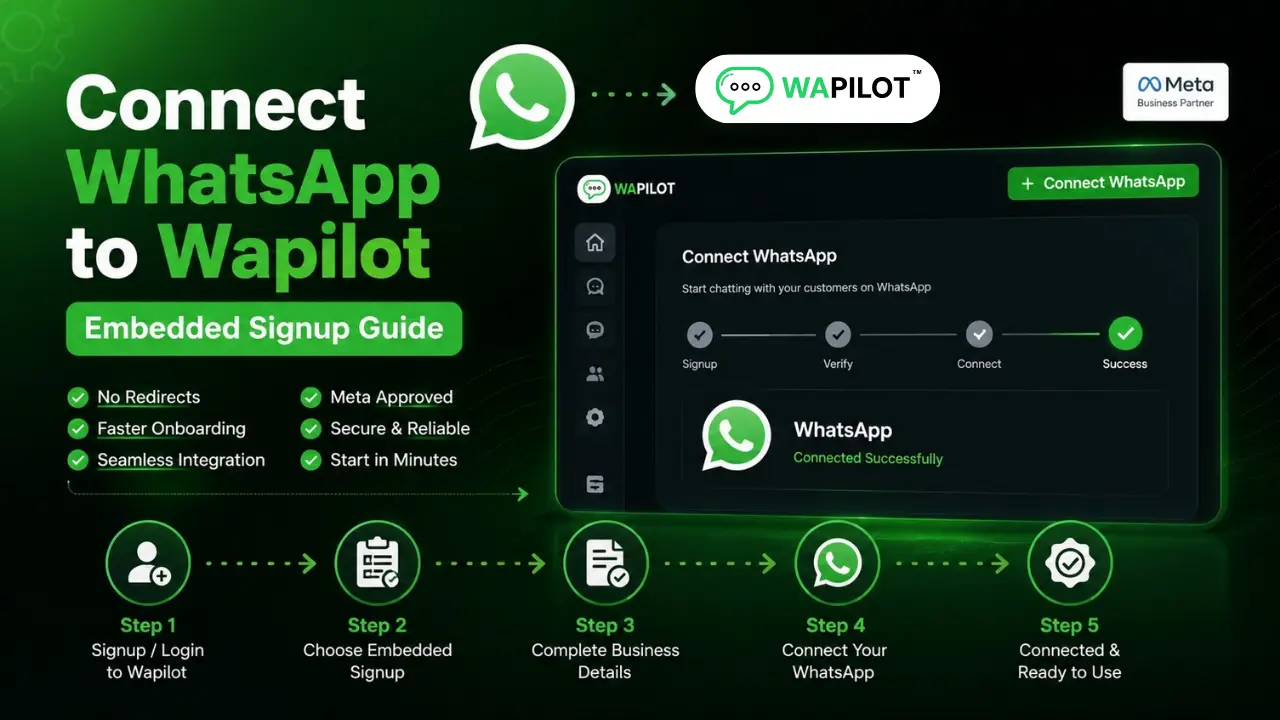
Embedded Signup is Meta's official in-browser connect path. You start from Settings → WhatsApp in Wapilot; Meta handles Meta Business Portfolio selection, number OTP, and permissions; Wapilot stores the linked Cloud API number for inbox and templates.
What is Embedded Signup for WhatsApp?
Sources: Meta's Embedded Signup docs and Cloud API get-started guide. Wapilot implements v4 Setup Records — not unofficial gateways.
It is Meta's official flow that runs inside your WhatsApp platform. You stay in Wapilot; Meta opens a popup for login, business selection, number verification, and permissions. When you finish, Wapilot shows the connected phone number and healthy account status — no manual token paste for standard setup.
If you still need the basics, read what the WhatsApp Business API is and finish API access prep before you connect.
What should you prepare before you click Connect?
Use the Meta account with admin rights on the Business Portfolio. Keep a phone that can receive SMS OTP nearby. Prefer a number not already on WhatsApp personal or Business App — migration can interrupt live chats. Confirm you are inside the correct Wapilot organization before Embedded Signup starts.
Run through the Cloud API launch checklist so portfolio name, website, and documents already match. Allow popups for wapilot.io in your browser — blocked popups are the top false broken report we hear from new teams.
Attributed example, from a WAPilot onboarding workspace (retail brand, 2026): connect failed twice because the owner used a personal Meta login without admin on the portfolio. Switching to the business admin account finished Embedded Signup in four minutes — same number, no developer ticket.
How do you connect WhatsApp on Wapilot step by step?
Open wapilot.io, sign in, and select the organization that should own this number. Go to Settings → WhatsApp (Connect WhatsApp). Click Embedded Signup / Connect with Meta. Log into Meta if prompted, select your Business Portfolio, create or select a WhatsApp Business account, add or select the phone number, enter OTP, approve permissions, and wait for Wapilot to confirm connected status.
- Sign in to the correct Wapilot org.
- Settings → WhatsApp → start Embedded Signup.
- Meta popup: portfolio, WABA, number, OTP, permissions.
- Confirm number visible and status healthy before campaigns.
- Next: business profile, then templates — not a cold blast.
Rule sources: Meta Embedded Signup and Cloud API get-started. Wapilot follows those steps; it does not bypass Meta review or OTP.
Which errors delay connect the most?
Popup blocked, non-admin Meta login, OTP spam, wrong portfolio selected, number already registered elsewhere, or connect started in the wrong Wapilot org. Refresh once on pending status — do not loop five reconnect attempts. After connect, learn quality rating habits before bulk sends so your new line stays healthy.
How we know: WAPilot ships Embedded Signup v4 weekly across customer orgs. This guide reflects popup, OTP, and migration cases we debug with operators, mapped to Meta's public Embedded Signup docs — not invented shortcuts or unofficial instant-API sellers.
FAQs
Do I need a developer to connect WhatsApp to Wapilot?
No for standard Embedded Signup. Developers help later with custom webhooks and API work — not for the first official connect.
Can I connect a number already on WhatsApp Business App?
Sometimes via careful migration that can interrupt the App experience. Many teams use a fresh API number instead. Plan downtime and follow Meta plus platform guidance.
Why is my Meta popup blocked?
Browsers block popups by default. Allow popups for wapilot.io, then restart Connect from Settings → WhatsApp.
Does a bot-to-agent handoff reset the window on a shared number?
No. One customer thread, one service window. Two brands on one Cloud API line share that clock — split numbers before you scale support and promos on the same line.
Recap: admin Meta login, OTP-ready number, Embedded Signup from Settings → WhatsApp, confirm status, then profile and templates. When OTP is ready, start a free trial and connect on official Cloud API.