In this series — Part 6 of 6 (API Setup). · Previous: WhatsApp Business Profile Setup: Display Name,… · Series start
Before you start: If you skipped earlier steps, read WhatsApp Business Profile Setup: Display Name,… first so nothing here feels confusing.
Number connected. Profile polished. Then many teams make the expensive mistake: they blast campaigns and damage the WhatsApp API number.
Blocks pile up. Messaging tiers shrink. Recovery takes days of discipline — not more volume. Unofficial gateways that ignore opt-in make it worse.
In this guide, you'll discover what WhatsApp quality rating means, how messaging limits work, what hurts your score, and a practical campaign safety checklist — without guessing Meta's unpublished thresholds. As a WAPilot team that watches account health after customer launches every week, we see day-one cold blasts destroy lines that took weeks to verify.
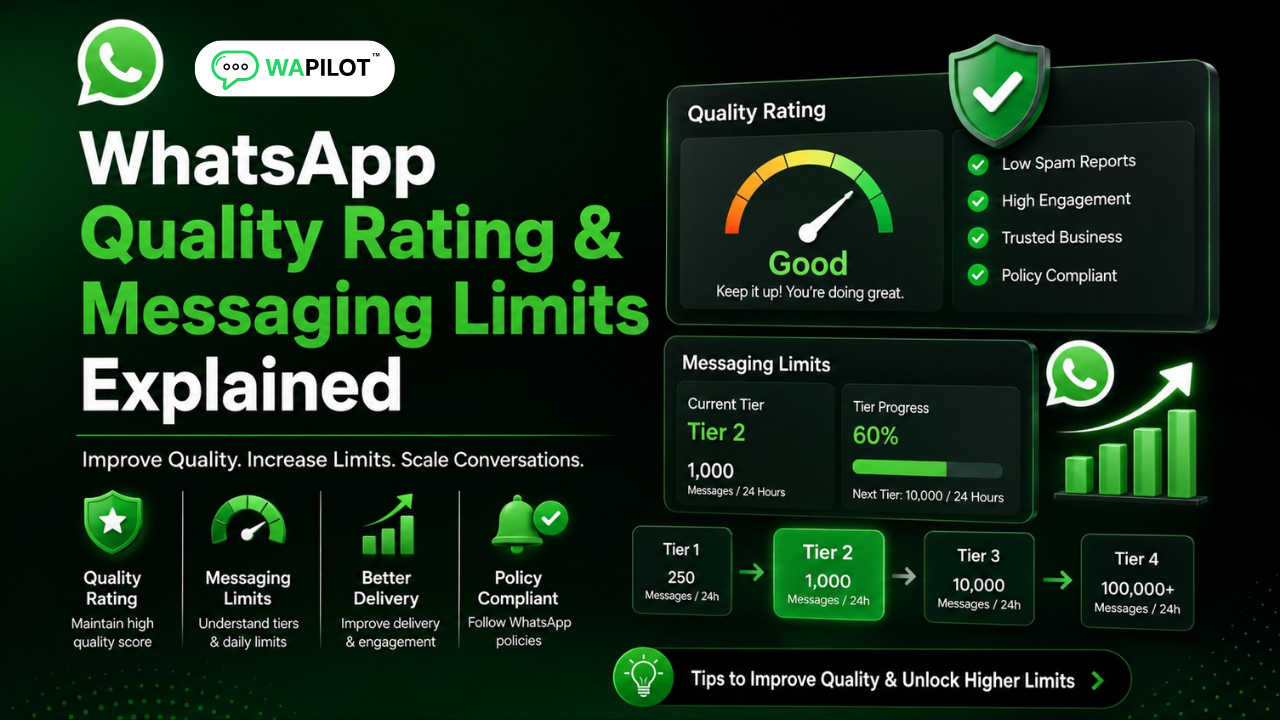
Quality rating reflects recent user feedback (often High / Medium / Low). Messaging limits cap how many unique customers you can message with business-initiated conversations in a window. Earn scale — do not force it on day one.
What does WhatsApp quality rating mean?
Sources: Meta's messaging limits overview and template messaging guidance. We map those signals to how operators should warm up Cloud API numbers on WAPilot.
WhatsApp tracks how people react to business messages — blocks, reports, and other negative patterns. Your quality rating summarizes recent feedback. It is not a vanity badge; low quality can restrict scale and hurt deliverability.
Finish foundations first: what the API is, connect with Embedded Signup, and business profile setup.
How do messaging limits and tiers work?
Messaging limits (tiers) control how many unique customers you can start business-initiated conversations with in a time window. Limits can rise when you send responsibly and earn good engagement. They can fall when quality drops.
Marketing, utility, authentication, and user-initiated chats follow different rules — do not treat every message the same. Exact numbers change with Meta policy; verify current limits in your account. Rule of thumb: earn the right to scale.
Attributed example, from a WAPilot customer workspace (D2C brand, 2026): they jumped from a warm utility list to a cold 40k marketing blast. Quality slid to Low within 48 hours. Pausing marketing, fixing opt-in segments, and sending only utility for a week restored Medium — then they scaled gradually.
What hurts quality — and what protects your number?
Common killers: messaging people who never opted in, irrelevant blasts, too many campaigns too fast, misleading templates, aggressive sales with no value, slow support after ads, and an incomplete profile. If customers feel tricked, they block — and blocks compound into limit pain.
- Collect clear opt-in and honor stop requests.
- Segment — send relevant offers only.
- Warm up gradually — do not max send on day one.
- Use approved templates correctly — see message templates setup.
- Reply fast to inbound chats after campaigns.
- Pause and fix if quality drops — do not keep blasting.
Rule sources: Meta messaging limits and template messaging docs. WAPilot surfaces health indicators so you can pause; it does not override Meta quality enforcement.
What is the recovery playbook if quality drops?
Stop marketing sends first. Audit opt-in and recent templates. Switch to utility and support replies. Fix profile and display name issues. Resume marketing only after rating stabilizes and segments are clean. How we know: WAPilot operators debug Low-quality recoveries weekly against Meta's public Cloud API docs — not unofficial "boost" sellers.
FAQs
How long does recovery take after you stop bad traffic?
Often days of clean sending and fewer complaints — not minutes. Plan a pause window, fix root causes, then warm up again. Exact recovery time depends on Meta feedback volume.
Do messaging limits reset overnight?
No. Tiers move with quality and usage patterns. Check current limits in Meta / platform WhatsApp settings after each major campaign.
Can I buy a higher messaging tier?
No legitimate shortcut. Higher limits come from responsible volume and healthy engagement on official Cloud API — not paid unlocks from third parties.
Does a bot-to-agent handoff reset the window on a shared number?
No. One customer thread, one service window. Two brands on one Cloud API line share that clock — split numbers before you scale support and promos on the same line.
Recap: know quality rating, respect messaging limits, opt-in and segment, warm up, pause when health drops. Series 1 ends here — next is Wapilot onboarding from signup to first message. When you are ready, start a free trial and scale on official Cloud API.