In this series — Part 3 of 5 (Getting Started). · Previous: How to Create and Switch Organizations in Wapil… · Next: Team Roles Explained: Owner, Manager, and Agent… · Series start
Before you start: If you skipped earlier steps, read How to Create and Switch Organizations in Wapil… first so nothing here feels confusing.
Open Wapilot and the dashboard looks busy. What actually matters before you launch a campaign?
Counts explain activity. Status and alerts decide whether you should pause or proceed. Reading vanity metrics while ignoring quality is how numbers get restricted.
In this guide, you'll discover how to read the Wapilot dashboard — metrics, WhatsApp status, alerts, and plan cards — so you can run a daily health check in under a minute. As a WAPilot team that watches morning dashboards before customer sends, we see red banners ignored more often than charts misunderstood.
Confirm you are in the correct organization first. New accounts should finish onboarding to first message before optimizing charts.
Operators who rush past Wapilot dashboard usually skip the boring checks — org name, connected number, and opt-in — then spend a week recovering quality. This walkthrough keeps the sequence honest so your team ships one clean win before volume.
What is the Wapilot dashboard for?
Sources: Meta's messaging limits overview and Cloud API get-started guide. Dashboard status mirrors account health signals operators should check before business-initiated volume.
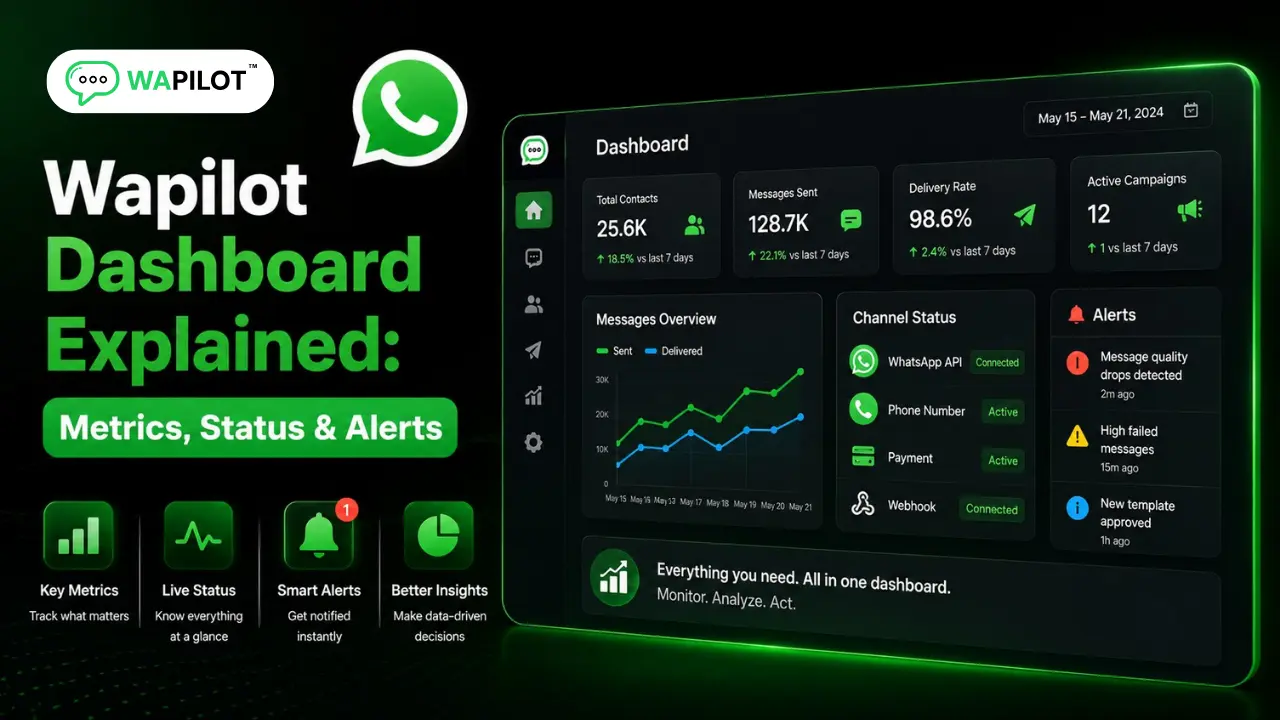
The dashboard answers four questions for one organization: Is WhatsApp healthy? Are chats moving? Are we hitting plan limits? Do I need to act today? Treat it like a daily health check — especially before campaigns or after ad spikes.
How should you read counts, charts, and WhatsApp status?
You’ll typically see contacts, campaigns, templates, and chats, plus inbound/outbound charts over time. Rising inbound after ads means staff the inbox. Outbound spikes mean recheck quality after big campaigns. Flat chats with active campaigns means investigate delivery, templates, and audience — not “more blasts.” Contacts growing while chats stay flat usually signals an opt-in or engagement problem, not a reason to increase send volume.
The WhatsApp status block is usually the most important area. Check connected number, account status, quality rating (High / Medium / Low), messaging tier info, and refresh / disconnect options (managers: use carefully). If quality shows Medium or Low, pause aggressive marketing and fix opt-in, content, profile, and reply speed first — full guide: WhatsApp quality rating. Polish profile via business profile setup. If disconnected, return to Settings → WhatsApp Embedded Signup — connect steps.
Attributed example, from a WAPilot D2C workspace (2026): charts looked “great” after a CTWA spike while quality slid to Medium. Pausing marketing for 48 hours and clearing inbox backlog restored High — the dashboard status block caught it before the next blast.
Which alerts and plan cards should you fix first?
Watch banners for email not verified, WhatsApp not configured, quality warnings for managers, and plan / usage limits approaching. Priority order: fix connection and verification blockers first, protect quality second, then optimize campaigns. Never ignore a quality warning to “finish today’s blast.”
Also check the subscription / trial card: current plan, expiry reminders, and usage against limits (campaigns, seats, features including drips at /drip-sequences). If a feature looks broken, it is often plan gating — open Plans / Billing in the correct organization and upgrade before a big send, not during it.
- Correct organization selected?
- WhatsApp connected?
- Quality healthy?
- Any red banners?
- Inbox backlog reasonable?
- Plan limits OK before a big send?
Rule sources: Meta messaging limits and Cloud API get-started docs. Wapilot surfaces health indicators; it does not override Meta quality enforcement.
How do you act on what the dashboard shows?
Email unverified → verify and refresh. WhatsApp disconnected → re-run Embedded Signup. Quality Medium/Low → pause marketing and run the safety checklist. Inbound surge → add agents and assignment discipline. Approaching plan limits → upgrade or reduce sends. Templates missing or rejected → fix templates before campaigns via message templates setup.
Common mistakes: reading vanity counts while ignoring quality, switching orgs and trusting the previous brand’s “healthy” memory, disconnecting WhatsApp casually, launching with unresolved red banners, and assuming locked features are bugs. After every org switch, re-run the checklist — charts from the previous brand do not apply. If inbound surges after ads, staff Agents before you add more outbound. How we know: WAPilot operators run this 60-second checklist before customer launches weekly, mapped to Meta’s public Cloud API status signals — not vanity “engagement” screenshots from unofficial tools.
FAQs
What should I check first on the Wapilot dashboard?
Organization name, WhatsApp connection, quality rating, then banners — before charts.
Where do I see WhatsApp quality rating?
In the WhatsApp / account status area on the dashboard. Details live in the quality rating guide linked above.
Why are my charts up but inbox overloaded?
Ads or campaigns drove inbound without enough agents. Fix staffing and assignment — not more outbound.
Does a bot-to-agent handoff reset the window on a shared number?
No. One customer thread, one service window. Two brands on one Cloud API line share that clock — split numbers before you scale support and promos on the same line.
Recap: metrics explain activity; status and alerts decide whether you send. Start with org, connection, quality, and banners — then read charts with intent. When the dashboard is green, start a free trial and scale on official Cloud API.